Registering for a My Buckinghamshire account
Overview
My Buckinghamshire is a customer account system launched in 2024 to replace the previous district and county systems.
You can use a 'My Buckinghamshire' account to:
- keep a record of your requests to the council
- save your progress, if you want to return to a form later
- check your account for any updates
If you're registering for an account for the first time, you’ll need to enter your details and activate your account when we send you an email.
1. Visit My Buckinghamshire
- Visit the My Buckinghamshire website.
- Go to the Register link at the top of the screen.
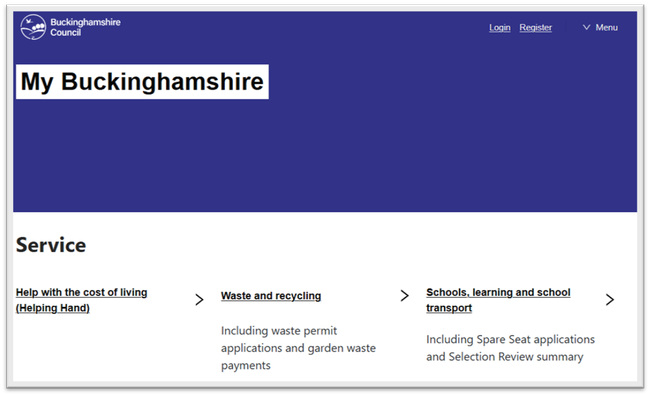
My Buckinghamshire portal
2. Register your details
- Enter your details on the 'Register' page.
- Enter your email address.
- Enter your first and last name.
- Create a unique password.
- Agree to our terms and conditions and select 'Continue'.
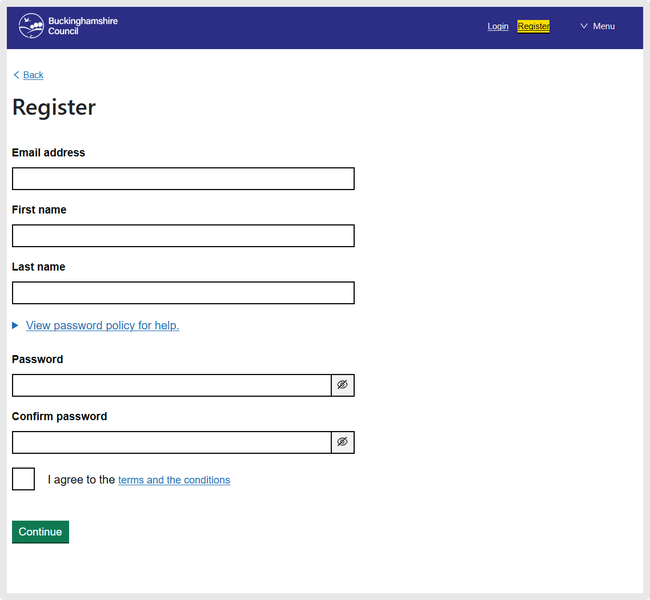
Example of our My Buckinghamshire register screen.
Enter your phone number and address
- You’ll see a screen titled ‘Further information’.
- Enter your phone number with no spaces.
- Enter your postcode and select ‘Find’.
- Select your address from the drop-down menu.
- If your address is not showing, select ‘Address not found’ and enter your address manually.
- If you’re registering as part of a business, select ‘I am part of an organisation’.
- Select ‘Continue’.
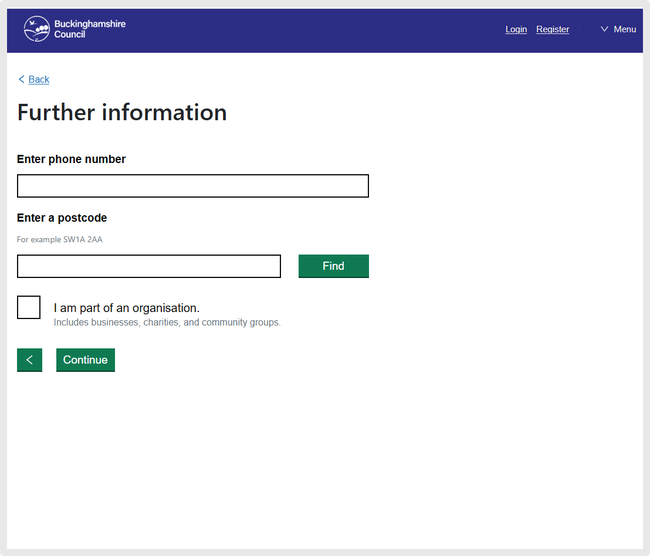
Example of our My Buckinghamshire further information screen.
Subscriptions
- Tick the box next to ‘E-news’ if you’re happy to be sent email updates.
- Select ‘Continue’ to complete your registration.
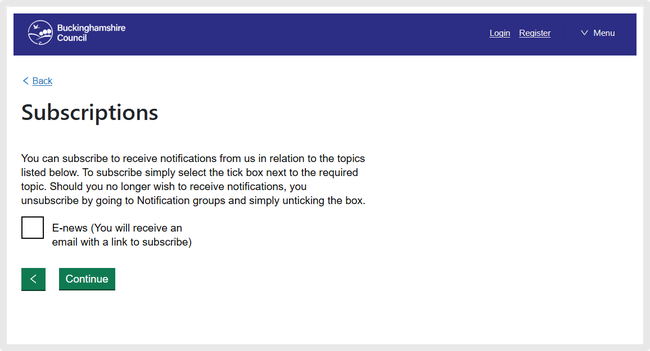
Example of our My Buckinghamshire subscriptions screen.
3. Activate your account
- We’ll send an email to the address you provided. If you do not see it, check your spam or junk folders.
- To activate your account, you can either:
- enter the 4 digit activation code sent in your email onto the 'activate your account' screen and select the 'continue' button
- click the 'Activate' link sent in the email sent to you
- Your account is now activated. If you see an 'Register Error' message, check the code you entered and try again.
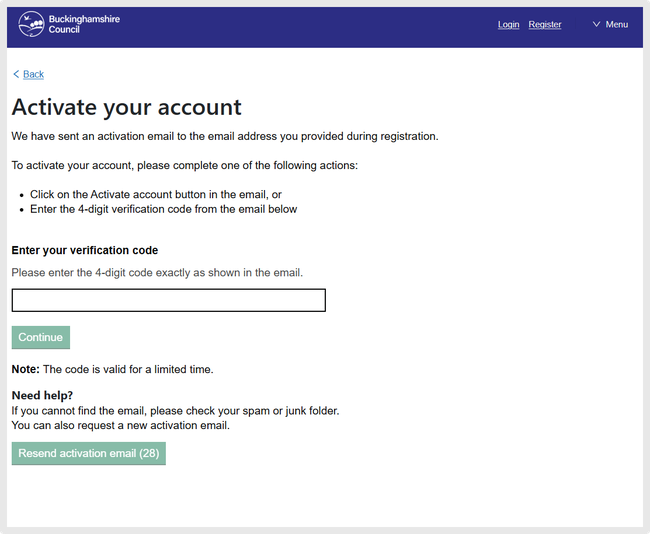
Activate your account page
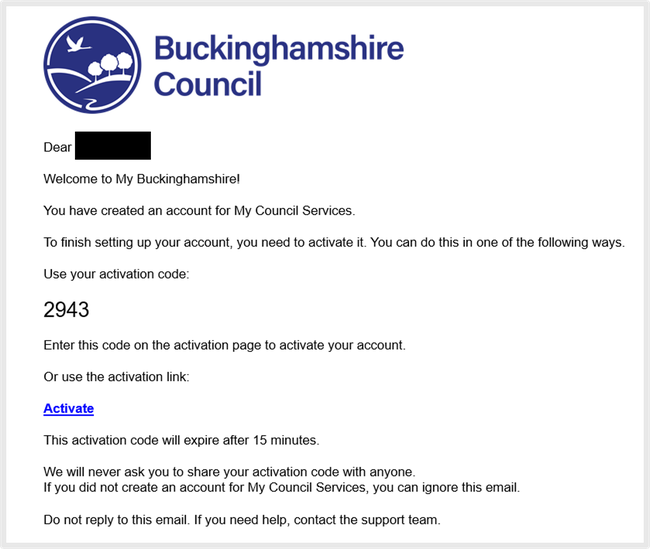
My Buckinghamshire account activation email
Help accessing your account
- Go to My Buckinghamshire.
- Go to the section titled ‘Login’at the top of the screen.
- You can either sign in with google or enter your email address and password.
- Select ‘Sign in’.
- If you’re unable to sign in, it may be because you have entered your email or password incorrectly or that you do not have a My Buckinghamshire account.
If you’re unsure if you have ever signed up to My Buckinghamshire, you could try registering for a new account using your email address.
If you receive the error ‘This email address is already in use. Please sign in using your email or select forgot password', you’ll know you have an account.
Use the password reset function using this email address to help you sign in.
- Go to My Buckinghamshire.
- Select 'Login' at the top of the screen.
- Select ‘I have forgotten my password.'
- Enter your email address and select ‘Continue’.
- A banner will show that confirm that we’ve received your request.
- If we have an account linked to your email address, you’ll receive an email with a link to reset your password.
- Select ‘Change password’ in the email you received. The link is only active for 2 days.
- Create a new password and confirm it in the box titled ‘Re-enter password’.
- Select ‘Continue’.
- You can now sign into your My Buckinghamshire account.
If you do not receive a password reminder email
You may not receive your password reminder if:
- the emails have gone directly into your spam or junk folders
- your email address is registered to one of our previous online accounts and not with our recent ‘My Buckinghamshire’ one
If you’re having problems, try registering using a different using a different email address.